Release Notes - 09/04/2026

This release introduces two improvements that help editors create cleaner pages and maintain a better heading hierarchy.

1. Property Preview: Hide Intro & Fallback Headline

The Property Preview component is now more forgiving when the intro section is not fully configured.

What’s new

  • A new Hide Intro toggle has been added to the Property Preview component.

  • If the intro is hidden, the intro section will not appear on the page, even if overline, headline, or copy are filled.

  • If the intro is not hidden but no headline is entered, the component now uses a default fallback headline automatically.

What problem this solves

Property Previews were often added without a headline, which could create an incorrect heading order on the page. This update helps avoid empty or inconsistent intros and reduces the need to manually add the same headline again and again.

Editor guidance

Use Hide Intro when you want to show only the property cards without an intro block.

Leave the intro visible when you want to provide editorial context. If you forget to enter a headline, the component will now use a fallback title automatically.

This makes the component safer to use and helps avoid broken heading structures.
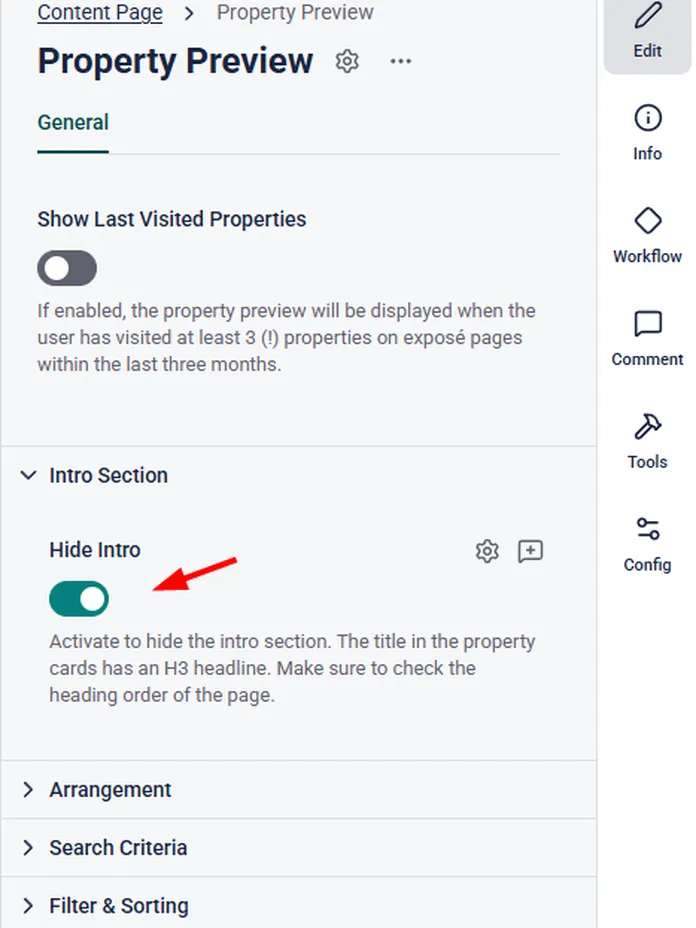
Screenshot of a property settings page showing "Property Preview" options, including "Hide Intro" toggle switched on with a red arrow pointing to it.

2. Custom Forms: Optional H1 Toggle

Custom Form components can now optionally use their headline as the main page headline.

What’s new

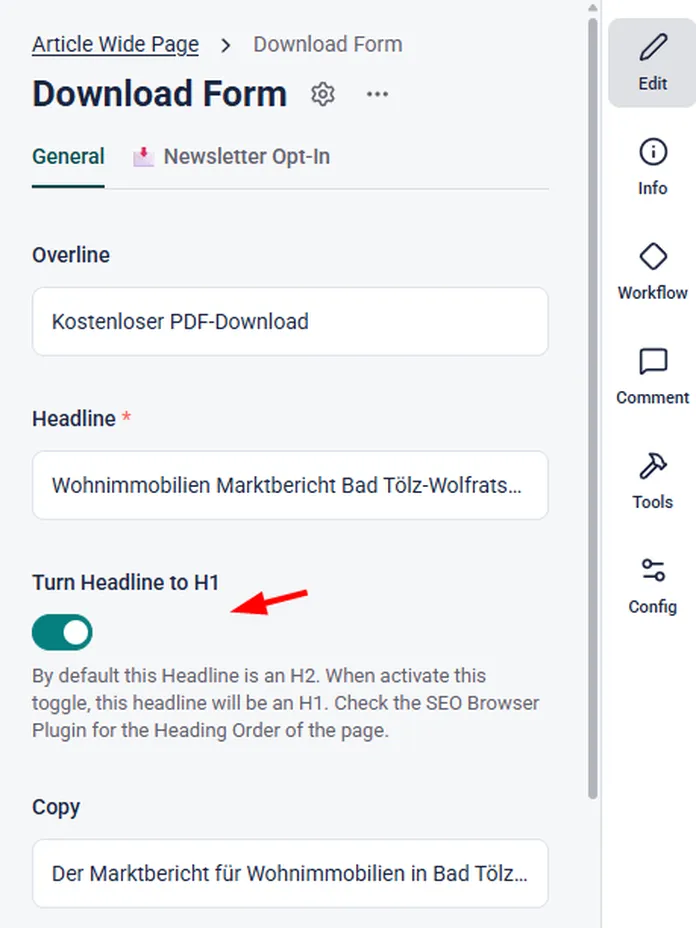
A new toggle called Turn Headline to H1 is now available in these components:

  • Recruiting Form

  • Free Form

  • Download Form

  • Event Signup Form

  • Legal Form

  • Newsletter Form

By default, form headlines remain H2. When the toggle is activated, the form headline becomes H1.

What problem this solves

Some pages consist mainly of a form and do not need an additional intro section. Until now, editors had to add extra content just to create a page H1. With this update, the form headline itself can take over that role.

Editor guidance

Use the H1 toggle when the form is the main content of the page and no separate page intro is needed.

Keep the default H2 when the page already has its own main headline elsewhere.

This gives you more flexibility while helping maintain a clean and SEO-friendly heading order.

Screenshot of a download form with options to edit, turn headline to H1, and add newsletter opt-in. A toggle is shown enabled.