Release Notes - 25/02/2026

This release improves form flexibility and expands design options within existing components.

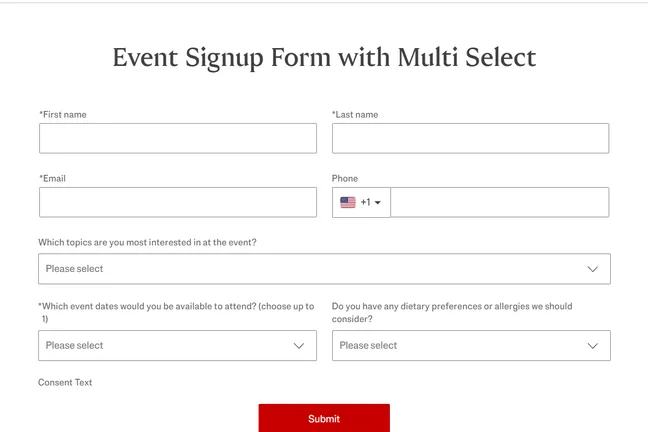
1. Multi-Select Field for Forms

This allows website users to select multiple options within one field instead of being limited to a single choice.

What problems does this solve?

  • Recruiting forms can now capture multiple preferences (e.g. locations, departments).

  • Event forms can allow users to select several interests or sessions.

  • Free forms can handle more complex input scenarios.

  • You no longer need workarounds using multiple single-select fields.

What you can do with it

  • Add multiple selectable options.

  • Define whether the field is required.

  • Limit how many options a user can select.

  • Preselect options if needed.

  • Customize placeholder and validation messages.

The component behaves consistently across devices and has improved accessibility and usability.
2. Quote Component → Now Also a “Statement” Block

The existing Quote component has been enhanced and can now also be used as a statement block.

What problems does this solve?

Previously, the Quote component always displayed quotation marks and required attribution, which limited its use. Now you can:

  • Use it as a classic testimonial with quote marks

  • Or activate “Statement” mode to display a clean highlighted message without quotes

What you can do with it

  • Make name and position optional.

  • Remove quote marks via toggle.

  • Choose background styles.

  • Use it on article pages with improved layout behavior.

This gives you more design flexibility without introducing a new component.